
描述
Cerberus FTP Server傳輸軟體
功能介紹
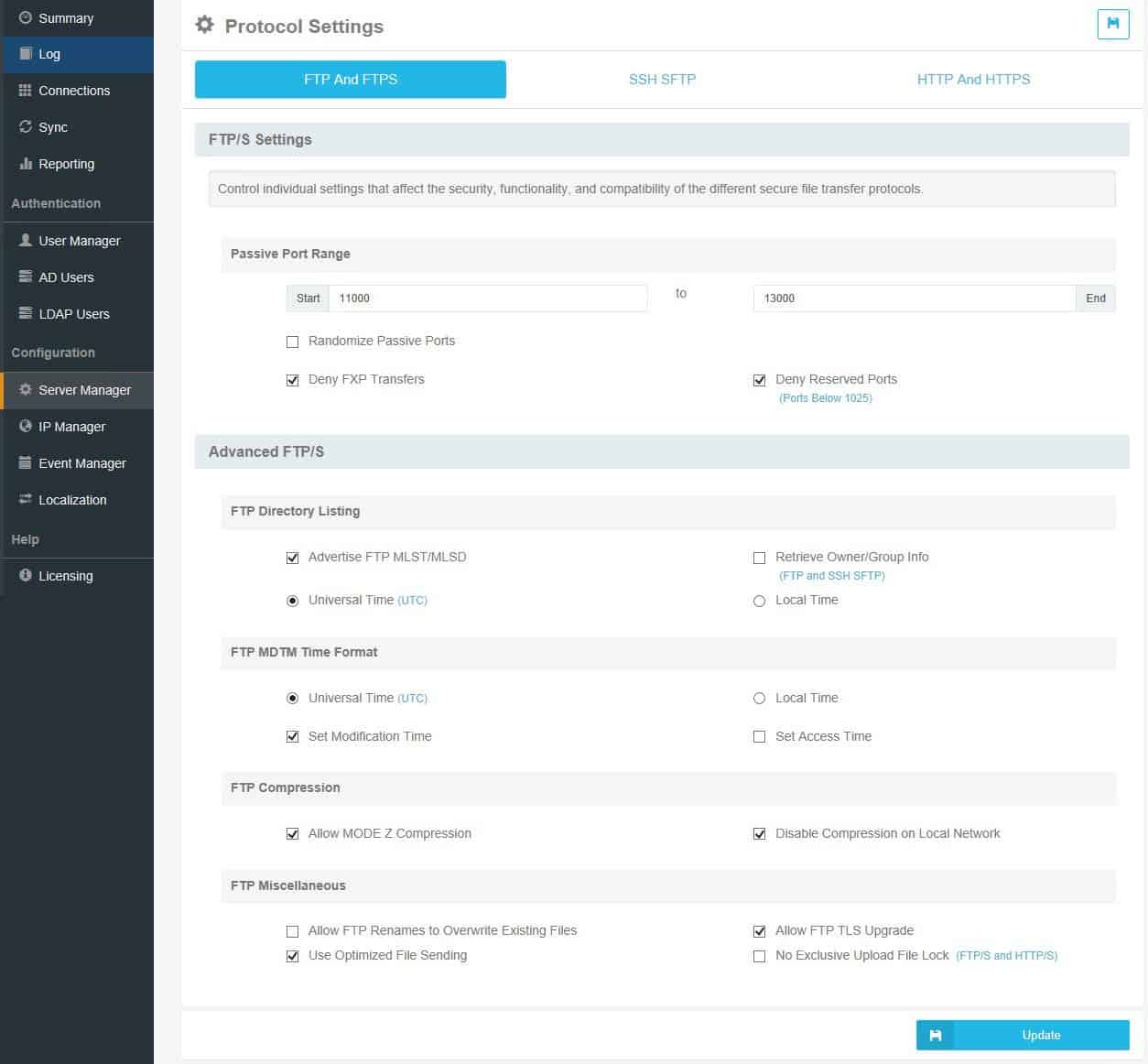
Cerberus FTP服務器是基於Windows的FTP服務器,它支持通過FTPS和SFTP 加密的FTP會話以及通過HTTP和HTTPS的Web客戶端支持。該服務器使用虛擬文件系統公開文件,並通過內置用戶和組,Active Directory,LDAP和公用密鑰身份驗證支持用戶身份驗證。該服務器當前由Cerberus,LLC開發和支持。
功能特色
FTPS和FTP
Cerberus FTP Server支持具有顯式SSL / TLS加密(FTPES)和隱式SSL / TLS(FTPS)的FTP以及純FTP。
SFTP
Cerberus FTP服務器支持SSH2文件傳輸協議(也稱為SFTP)。管理員還可以允許客戶端使用公共密鑰身份驗證進行SFTP連接。
HTTP / S WEB客戶端
允許任何用戶通過桌面或移動Web瀏覽器輕鬆訪問,編輯和傳輸文件。
SCP
Cerberus支持安全複製協議,這是一種簡單的安全文件傳輸協議,它支持在某些舊版設備上進行基本文件上載和下載。
CIDR支持和IPV6擴展
靈活支持擴展的連接路徑。
IP白名單和黑名單
Cerberus FTP服務器的IP Manager包括自動阻止功能,可防止DoS和暴力攻擊。
內置傳輸完整性檢查
使用基於SHA-512,SHA-256或SHA-1加密散列的強校驗和來進行可靠的文件完整性檢查。

系統需求
Hardware Requirements
Note: Hardware provisioning should be based on use requirements and anticipated workload. These specifications should be able to support up to 2,500 connections at the same time. This is either 2,500 users, or less with users that hold concurrent connections at one time.
- 1GHz x64 processor (2 GHz or better recommended)
- 8 GB or higher is strongly recommended
- WXGA (1280 x 768) or higher-resolution monitor
Operating Systems Supported
Note: Cerberus supports Microsoft operating systems that have not yet reached end of life. The latest Service Packs for your operating system are required in all cases.
NOTE: Cerberus FTP Server Version 13.0 and higher can only be installed on 64-bit operating systems.
- Windows 11
- Windows 10
- Windows Server 2025
- Windows Server 2022
- Windows Server 2019
- Windows Server 2016
While Cerberus FTP Server can be installed on Windows Server Core Operating Systems, please note that the Cerberus GUI may not function as expected. This is due to the web browser components needed to display the native UI are unavailable on Server Core. You would need to manage Cerberus using the Web Administration page.